briDJe User Manual
Exporting and Backups
Last updated
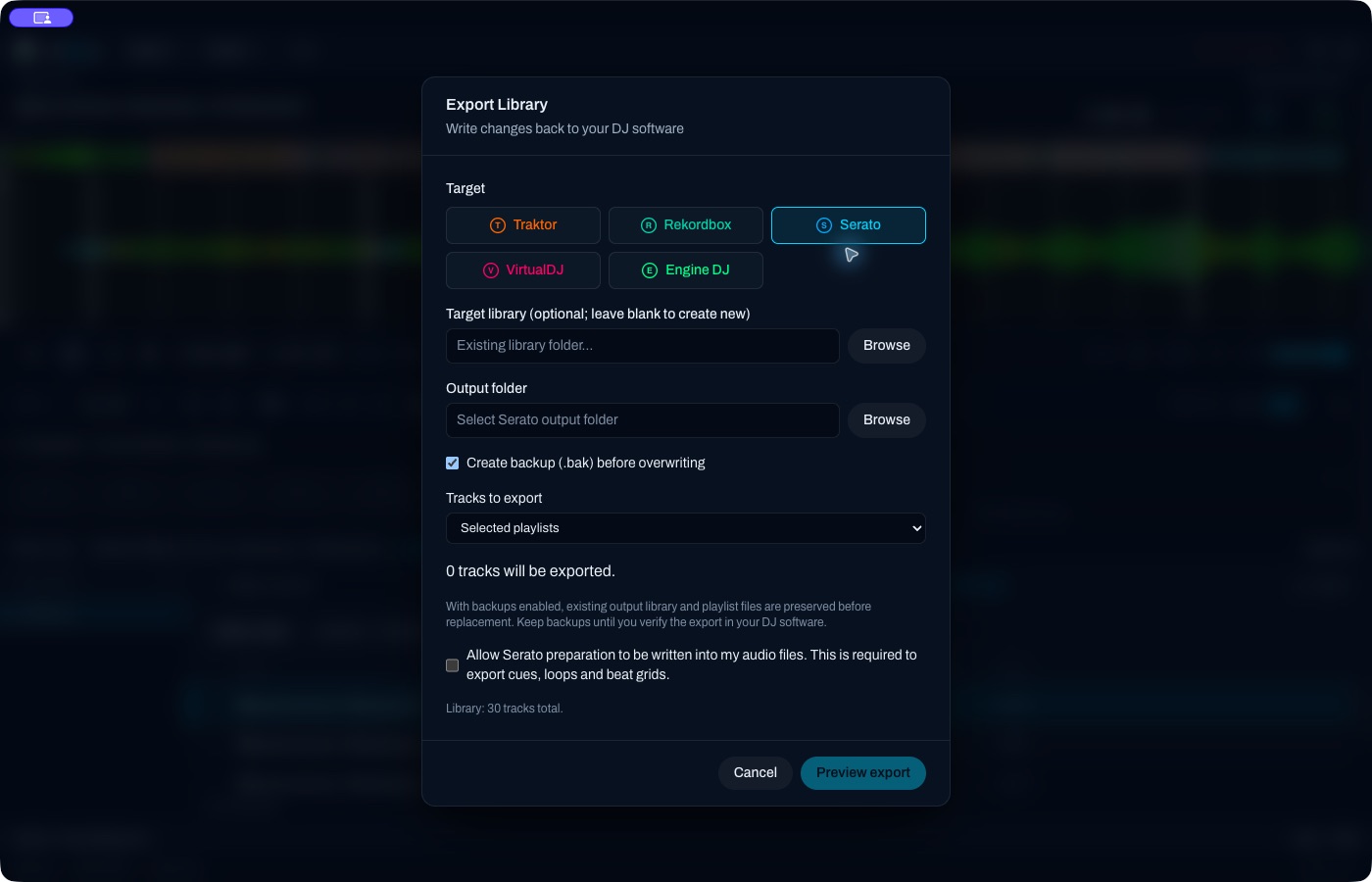
An unfilled form: scope is 0 and tag consent is unchecked. It shows the controls, not a completed export.
Targets and what they write
Pick Traktor, Rekordbox, Serato, VirtualDJ or Engine DJ. Output is an NML file, a Rekordbox XML, a Serato folder, a VirtualDJ XML plus an M3U playlist tree, or an Engine folder with Database2/m.db. briDJe never writes Rekordbox’s master.db; import the XML in Rekordbox yourself.
Output file/folder is required. Target library path is optional: set it to merge into an existing library, leave it blank for a new one. Engine merging targets version 2.
Scope, not selection
Choose Selected playlists, Selected playlists plus unfiled tracks, or Entire library. Scope follows playlists, not table row selection or filters. Tracks are counted once even if they appear in several playlists. On the free tier, scopes above 15 unique tracks are blocked (Settings and Recovery).
Preview first
Preview export is read-only. It lists the tree, filenames, counts, warnings, how variable grids will be represented, and backup behavior. Fix blocking errors and review the warnings, then tick the acceptance checkbox before Export works. If the target changed since the preview, you need a fresh preview.
Backups
Keep Create backup enabled before exporting. With backups enabled, briDJe preserves the existing output library and playlist files before replacing them. That may be snapshots or sidecar files, not necessarily a .bak for every format. It is not a backup of your music.
To use one, open Library tools, Inspect export backup, and choose a folder containing manifest.txt. Inspect the entries, then Restore copies them to a folder you choose. recovery-map.json maps original paths. Recovery leaves the original destinations untouched, so review the copies before putting anything back in the live app.
Serato audio tags
The tag-consent checkbox is unchecked by default. Serato cues, loops and grids need preparation written into the referenced audio files. Without consent, briDJe warns that cues, loops and grids are omitted.
Writers exist for MP3, WAV, AIFF/AIF, FLAC and M4A/MP4. OGG and WMA aren’t supported, and Serato preparation writing may block on them. M4A/MP4 positions are limited to 0–16777215 ms. Serato 4 ratings depend on the version. For a first test, copy the audio and export paths that point at the copies.
Limits to expect
A successful write isn’t lossless. Source preparation for a platform may stay only inside briDJe, and exports use the working copy. Serato and Engine omit unnumbered memory cues; Traktor can’t take arbitrary RGB; Engine ignores track color; loop lock and non-Rekordbox meter limits apply (Loops, Beat Grids). Source audio isn’t copied or transcoded.
Verify
Close the target app before writing. Then check a small sample: audio paths, cues, loops, grids, playlist membership and sort. Rekordbox needs a manual XML import. Test Engine hardware on its own firmware. briDJe doesn’t promise USB hardware sync. Undo only reverses working edits.