briDJe User Manual
Preparation and Reimport
Last updated
Source snapshot vs working preparation
When you import, briDJe keeps an internal, immutable source snapshot of what the platform gave it. Everything you edit lives in a separate working preparation. Exports use the working preparation only.
Imported preparation is protected by default. Protection guards against accidental replacement, but it doesn’t disable explicit edits: if you move a cue yourself, the working copy changes.
Analysis refreshes waveforms and fills in what is missing. It preserves source preparation. Don’t expect re-analysis to overwrite every imported grid.
Compare and restore
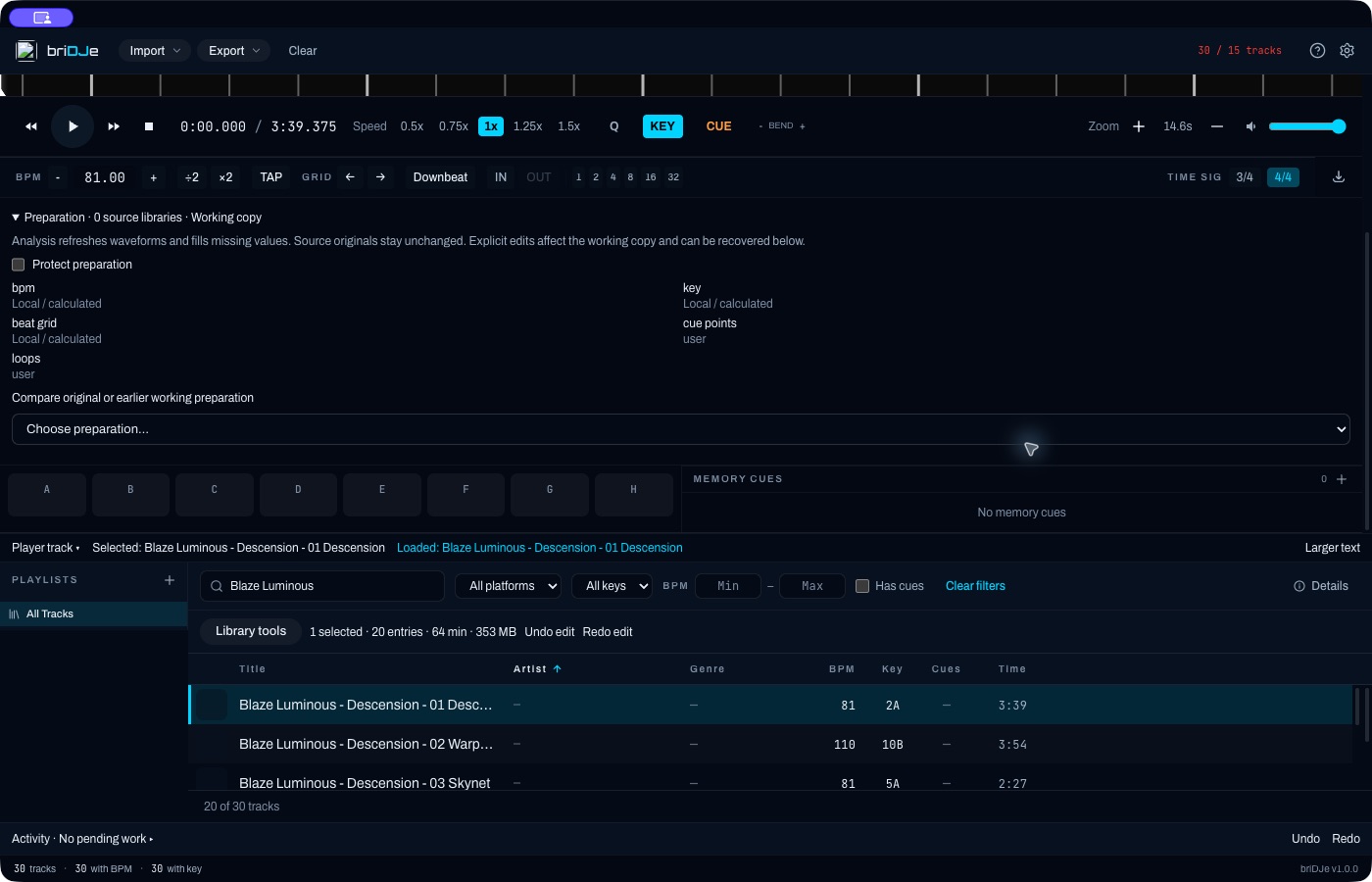
A library with zero imported source libraries, so no earlier version is selected. Your own libraries will list entries.
Expand Preparation in the track details. You will see:
- Field origins, showing where each value came from.
- Protect preparation.
- A Compare dropdown: pick the original, a reimport version or an earlier working edit.
Use this preparation for playback and export makes the compared version current. This is itself a working edit, so you can undo it with Cmd/Ctrl+Z.
A library made only from audio files may have zero imported source originals. Earlier working edits can still appear in history; there is no DJ-source snapshot to compare until you import one.
Reimporting from a DJ library
Choose Reimport DJ library. The default is the whole library; you can narrow it to selected playlists. Use Preview import first. It is a read-only review showing new, changed and absent tracks and playlists, local edits, conflicts and uncertain matches. Nothing changes until you accept and apply.
- Tracks absent from the source are kept.
- Uncertain matches are listed separately.
- Your local edits are protected.
This is not a background two-way sync. Run it when you decide to, and read the preview.
Conflicts you resolve afterward
If two imported cues or loops claim the same pad, choose one. The others become unnumbered originals and are retained. Make the detailed choices in Preparation; the import review doesn’t offer a per-conflict picker.
If a track’s BPM and its grid BPM don’t match, export is blocked until you fix it (Beat Grids).
Next: Hot Cues, Loops and Exporting and Backups.